Explore unique editing features in five top-rated travel photography apps
The Art of Travel Photography
Travel photography is more than capturing moments; it's about conveying the emotion and atmosphere of the places we visit. With the rise of smartphones equipped with powerful cameras, mobile apps have become indispensable tools for photographers looking to enhance their images directly from their phones. Today, we'll explore five innovative mobile applications that not only enhance your travel photos but also offer unique editing tools tailored for various environments and lighting conditions.
Snapseed: Precision Editing at Your Fingertips
Google's Snapseed is a favorite among travel photographers for its powerful features and intuitive interface. It's not just a simple photo editing tool; Snapseed offers precision control that rivals desktop applications.
Selective Adjustments
One of Snapseed's standout features is its Selective Adjust tool. This feature allows users to target specific areas of an image for localized editing. For example, if you're editing a photo of a bustling street market, you can brighten the shadows in a dark corner while leaving the rest of the image untouched. This feature is particularly useful for travel photos where lighting can vary dramatically across the frame.
Case Study: Capturing a Sunset in Santorini
Imagine you've captured a stunning sunset over Santorini, but the foreground appears underexposed. With Snapseed, you can use the Selective Adjust tool to increase brightness and contrast specifically in those areas, bringing out details without overexposing the sky. This targeted approach ensures that each element of your photo receives the attention it deserves, maintaining balance and harmony in your composition.
VSCO: Moods and Aesthetics
Renowned for its filters and presets, VSCO helps photographers infuse their images with mood and style. Ideal for creating consistent aesthetics across a series of travel photos, VSCO offers tools that go beyond basic editing.
Advanced Preset Customization
VSCO's presets are designed to emulate the look of classic film photography, adding a nostalgic quality to your travel photos. Beyond applying these presets, VSCO allows users to customize them extensively. For instance, you can adjust the strength of a preset or combine multiple presets for a unique look. This feature is perfect for creating a signature style that defines your travel photography portfolio.
Workflow Example: Consistent Style Across a Europe Trip
During a trip across Europe, you might capture diverse scenes from Parisian cafes to Roman ruins. By applying and customizing a consistent VSCO preset across all your images, you ensure your collection has a cohesive feel that tells a unified story. This makes it easier to share your journey on platforms like Instagram, where visual consistency often attracts more engagement.
Adobe Lightroom Mobile: Professional Tools on the Go
Adobe Lightroom Mobile brings professional-grade editing capabilities to your smartphone. Known for its comprehensive suite of tools, it's perfect for photographers who require extensive control over their edits.
Dehaze Tool
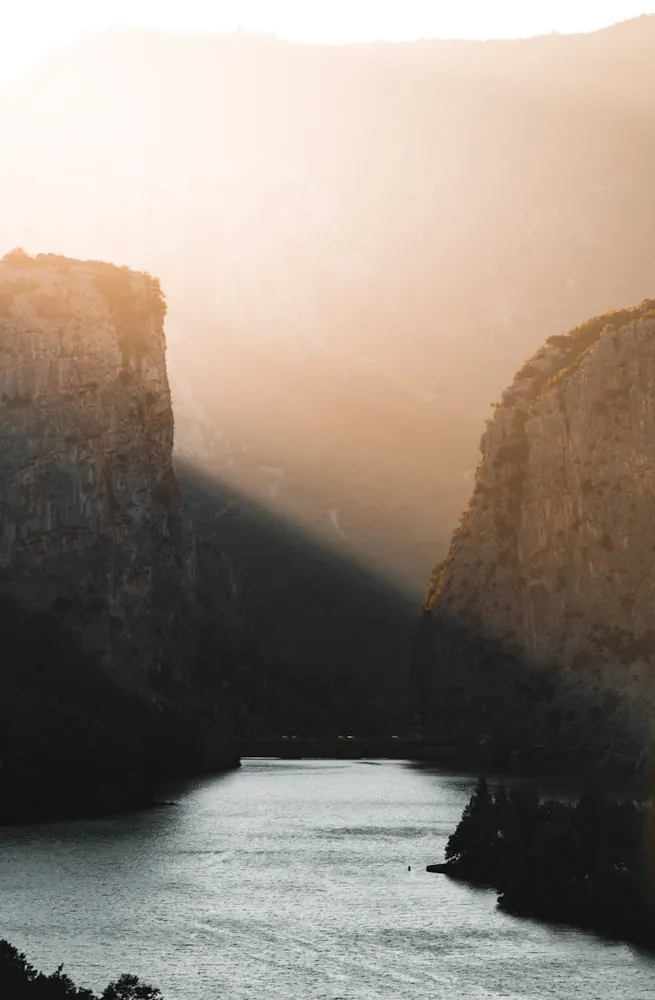
The Dehaze tool in Lightroom Mobile is particularly useful when traveling in environments with challenging weather conditions, such as misty mountains or foggy coasts. By using this tool, you can remove haze from your photos to reveal crisp details and enhance contrast.
Practical Tip: Enhancing Mountain Landscapes
If you're trekking through the Swiss Alps and capture a landscape obscured by morning mist, the Dehaze tool can transform your photo by bringing clarity to distant peaks while retaining the natural atmosphere of the scene. This capability ensures that viewers can appreciate the grandeur of the landscape as you experienced it.
Prisma: Artistic Transformation
If you want to explore creative expressions with your travel photos, Prisma offers a different take with its art-inspired filters. Prisma transforms your photos into paintings or sketches using AI-powered technology.
Art Filters
Prisma's strength lies in its library of artistic styles, from Picasso-inspired cubism to Van Gogh's swirling landscapes. These filters are not just overlays; they analyze your photo and recreate it in the chosen artistic style.
Use Case: Bringing Art to Everyday Scenes
Imagine capturing the vibrant street life of Havana. Applying a Prisma filter can convert this dynamic scene into an impressionistic painting, highlighting the colors and energy in an unexpected way. This artistic transformation offers an opportunity to present familiar travel subjects from a fresh perspective.
TouchRetouch: Seamless Object Removal
The last app on our list, TouchRetouch, addresses one of the common issues in travel photography: unwanted objects or distractions in your frame.
Easy Object Removal
TouchRetouch specializes in removing elements like wires, power lines, or even stray tourists from your images with remarkable ease. The app provides tools like Brush and Lasso to select objects for removal, ensuring that edits blend seamlessly with the surrounding area.
Tutorial: Clearing Crowded Landmarks
If you're photographing landmarks like the Eiffel Tower or the Colosseum, crowded tourist areas can make it difficult to capture clean shots. With TouchRetouch, you can remove these distractions post-shoot. Simply select the tourists with the Brush tool and let TouchRetouch do the magic. In moments, you'll have a clear image that highlights the architecture and design without distractions.
Conclusion: Choosing the Right App for Your Journey
The choice between these top-rated apps depends on your personal needs and the stories you wish to tell through your photography. Whether you prefer precise edits with Snapseed, consistent aesthetics with VSCO, professional adjustments with Lightroom Mobile, artistic transformations with Prisma, or seamless object removal with TouchRetouch, each app provides unique features that cater to different aspects of travel photography.
Next time you're on an adventure, try integrating one or more of these apps into your workflow. Not only will they enhance your photos, but they'll also enable you to share captivating stories from around the world in innovative ways.